

01
May
New webinar: What is MailStore Service Provider Edition? Is it for me?
 Cloud, private-cloud, multi-tennant, hosted, SaaS, service provider, xSP - the myriad of terminology used to describe products such as MailStore Service Provider Edition are practically endless it seems.
This probably explains why lots of our partner program members, all typically IT support companies servicing SMB's, have been asking for further clarification around exactly what this new version of MailStore actually is and how it works before they've been able to decide whether it's right for them.
For this reason we're now running a small number of free 30 minute(ish) webinar sessions which will answer the questions - "What is it?" and "Is it for me?". Essentially it is a high level overview and then time for a group Q & A.
Cloud, private-cloud, multi-tennant, hosted, SaaS, service provider, xSP - the myriad of terminology used to describe products such as MailStore Service Provider Edition are practically endless it seems.
This probably explains why lots of our partner program members, all typically IT support companies servicing SMB's, have been asking for further clarification around exactly what this new version of MailStore actually is and how it works before they've been able to decide whether it's right for them.
For this reason we're now running a small number of free 30 minute(ish) webinar sessions which will answer the questions - "What is it?" and "Is it for me?". Essentially it is a high level overview and then time for a group Q & A.
 In most deployments of MailStore we recommend your journalling job is configured to archive a selection of journalled or 'copied' emails for all your users.
This type of job is designed to interrogate each message that it archives and look for headers that it can match to decide which user's archive it should store the message under.
In a perfect installation where all of your MailStore users have been setup correctly, every journalled message should find the correct corresponding users archive. But it is common to overlook some addresses and you may find email appearing in the general 'Unknown e-mail archive' instead.
In most deployments of MailStore we recommend your journalling job is configured to archive a selection of journalled or 'copied' emails for all your users.
This type of job is designed to interrogate each message that it archives and look for headers that it can match to decide which user's archive it should store the message under.
In a perfect installation where all of your MailStore users have been setup correctly, every journalled message should find the correct corresponding users archive. But it is common to overlook some addresses and you may find email appearing in the general 'Unknown e-mail archive' instead.
 The
The 
 Something I get asked for by MailStore customers on a regular basis is an easy way for one user to search for messages within another's archive.
One approach to this would simply be to log into the MailStore client as an Administrator, which would give you full rights over all the user archives but this is only really useful for one-off access - there is a much more elegant way to tackle this...
Something I get asked for by MailStore customers on a regular basis is an easy way for one user to search for messages within another's archive.
One approach to this would simply be to log into the MailStore client as an Administrator, which would give you full rights over all the user archives but this is only really useful for one-off access - there is a much more elegant way to tackle this...
 As Office365 and other hosted Exchange platforms continue to attract more users, we're starting to see more demand from customers looking for a way to keep an offline copy of their data 'just in case' the unthinkable should happen.
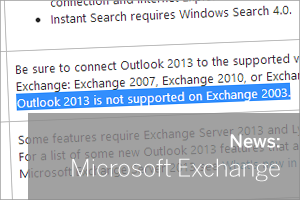 When Microsoft first unveiled Office 2013, they did at the time point out that it wouldn't be long before they withdrew support for Windows Vista,
  I recently ran a survey among our partner program members (all IT support companies) to find out which, if any, of the various social channels they use 'frequently', to help us understand how best to keep in touch.
Of the 324 respondents the results were as follows:-
I recently ran a survey among our partner program members (all IT support companies) to find out which, if any, of the various social channels they use 'frequently', to help us understand how best to keep in touch.
Of the 324 respondents the results were as follows:-
 After a development period lasting a number of years and a successful beta phase that involved over 1,000 service providers, we are very pleased indeed to announce the release of the final version of the