

13
Aug
BackupAssist – Minor update now live (v7.2.1)
BackupAssist have made a minor update of their fantastic backup software live today and as always, it's available on our Web site for download.
This release consists mostly of minor fixes and there's couple of small feature updates in there for good measure too.
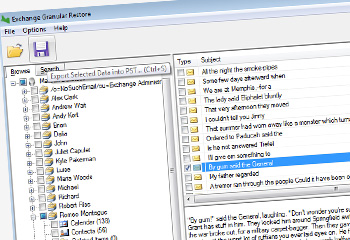 You may recall a little over a month ago us announcing the brand new major release of BackupAssist version 7.1.That included an impressive range of new features such as a beta of the new Exchange Granular Restore (EGR) add-on, support for Exchange 2013, enhanced support for Server 2012 and history for imaging backups on NAS and RDX drives.
Well, following up the great work on 7.1, Australian developer Cortex have completed the EGR add-on beta phase and have released the feature in full in this latest iteration of our favourite backup software for small businesses.
You may recall a little over a month ago us announcing the brand new major release of BackupAssist version 7.1.That included an impressive range of new features such as a beta of the new Exchange Granular Restore (EGR) add-on, support for Exchange 2013, enhanced support for Server 2012 and history for imaging backups on NAS and RDX drives.
Well, following up the great work on 7.1, Australian developer Cortex have completed the EGR add-on beta phase and have released the feature in full in this latest iteration of our favourite backup software for small businesses.
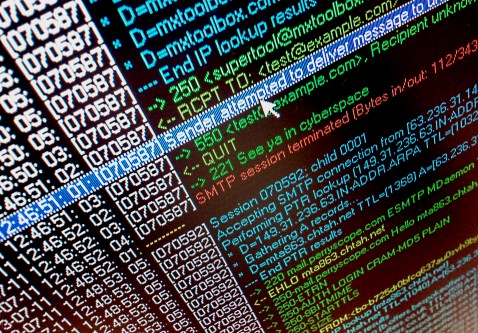 One of the big selling points for MDaemon is its very clear message flow visibility and detailed logging. However as powerful as it is often we find that some of the most useful features can be overlooked, so to help out here are my top 5 useful MDaemon logging hints and tips...
 One of the key advantages of using MailStore to archive users mailboxes from your mail server is the ability to delete old email once it has been successfully archived. Typically customers choose to delete messages from users mailboxes that are older than a year, But what if you want to treat some mail folders differently to others?
 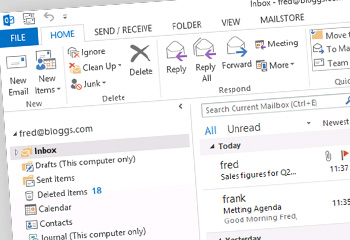 With the recent release of MDaemon 13.5 Alt-N have upgraded the built in ActiveSync server which now includes support for the latest ActiveSync protocol used by Outlook 2013. This update adds additional ActiveSync policy support but also it allows MDaemon to provide native ActiveSync support for Outlook 2013 as well as the built in Windows 8 Mail App.
  A couple of minor updates for you this morning - there are new versions available of both
  We're seeing a few cases where customers who've recently upgraded to MDaemon 13.5 are seeing some oddities with Worldclient. Essentially they're no longer seeing the list of emails they've received and can't select any items.
  The brand new major release of BackupAssist, version 7.1 is now available to download, and brings many of the features you’ve been asking us for such as support for Exchange 2013, enhanced support for Server 2012 and history for imaging backups on NAS and RDX drives.
This is now the most stable release of BackupAssist v7 and we recommend that you download and install it straight away. If you already own a BackupAssist v7 license then you can download and update for free.
The brand new major release of BackupAssist, version 7.1 is now available to download, and brings many of the features you’ve been asking us for such as support for Exchange 2013, enhanced support for Server 2012 and history for imaging backups on NAS and RDX drives.
This is now the most stable release of BackupAssist v7 and we recommend that you download and install it straight away. If you already own a BackupAssist v7 license then you can download and update for free.