

19
Dec
BackupAssist v7 beta: Preview 2 – Central Administration
 BackupAssist version 7 sees the first iteration of a great new central administration console for remote control access.
Administrators can now manage all of their local network installations of BackupAssist through one single web interface hosted by a central nominated BackupAssist installation.
All backup jobs and reports from your various installations can be quickly monitored and remote control sessions can be launched to manage a specific installation for changes. In effect, administrators no longer need to remotely log in to a BackupAssist server to manage all of its settings.
BackupAssist version 7 sees the first iteration of a great new central administration console for remote control access.
Administrators can now manage all of their local network installations of BackupAssist through one single web interface hosted by a central nominated BackupAssist installation.
All backup jobs and reports from your various installations can be quickly monitored and remote control sessions can be launched to manage a specific installation for changes. In effect, administrators no longer need to remotely log in to a BackupAssist server to manage all of its settings.
 We're basically a bunch of petrolheads here at Zen Software, so when it came to choosing an event to thank our partners for their support, it was always likely to involve engines of some kind. As we've been on a fair few track days between us, we all agreed it might be a nice idea to mix it up a bit and instead thought it would be nice to try playing in the sand...
 Our Aussie friends over at
  You may have picked up from our
  We've had a few customers asking about whether our backup software
  I could tell you all about the exciting new version 7 of BackupAssist which is just around the corner - unfortunately if I do that I'll have some angry Australian developers after my blood!
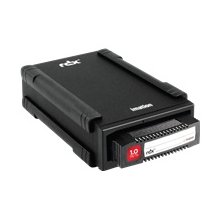 One trend I've noticed since we've been supplying