

25
Sep
BackupAssist 7.3 now live – Includes ‘direct injection’ Exchange restores + fixes
 This morning across the office I overheard the words 'that's grand int'it!?' from our resident BackupAssist technical guru.
I can assure you this doesn't happen often and roughly translated from Yorkshireman-speak, is a resounding seal of approval for the new Exchange Granular Restore 'direct injection' feature in BackupAssist 7.3.
This morning across the office I overheard the words 'that's grand int'it!?' from our resident BackupAssist technical guru.
I can assure you this doesn't happen often and roughly translated from Yorkshireman-speak, is a resounding seal of approval for the new Exchange Granular Restore 'direct injection' feature in BackupAssist 7.3.
12:50 /
BackupAssist
 As if BackupAssist wasn't already priced competitively enough, you'll be pleased to know we've just introduced two new discounted bundles to make it even better value when you're buying with plug-ins!
I've outlined what's included in each below and you'll find up to date costs on the
As if BackupAssist wasn't already priced competitively enough, you'll be pleased to know we've just introduced two new discounted bundles to make it even better value when you're buying with plug-ins!
I've outlined what's included in each below and you'll find up to date costs on the  We have seen two instances recently where BackupAssist has been used to run an image job on HP Proliant servers but the job fails 98% through the image of the C: drive with the error 'Drive Cannot Find the Sector Requested'.
This would usually point to physical drive sector issues and a possible dying disk, but after some further investigation it would appear that this is actually a specific issue to do with the pre-installed status of System partitions on HP Proliant range of Server platforms.
We have seen two instances recently where BackupAssist has been used to run an image job on HP Proliant servers but the job fails 98% through the image of the C: drive with the error 'Drive Cannot Find the Sector Requested'.
This would usually point to physical drive sector issues and a possible dying disk, but after some further investigation it would appear that this is actually a specific issue to do with the pre-installed status of System partitions on HP Proliant range of Server platforms.
 An early heads up for you in video form this morning about a great new addition to BackupAssist's Exchange Granular Restore functionality.
Pencilled in for release in the next couple of weeks, v7.3 of BackupAssist will provide you with the ability to quickly find items in your Exchange database backup, and directly restore them to another Exchange server.
See below for the 2 minute preview video...
An early heads up for you in video form this morning about a great new addition to BackupAssist's Exchange Granular Restore functionality.
Pencilled in for release in the next couple of weeks, v7.3 of BackupAssist will provide you with the ability to quickly find items in your Exchange database backup, and directly restore them to another Exchange server.
See below for the 2 minute preview video...
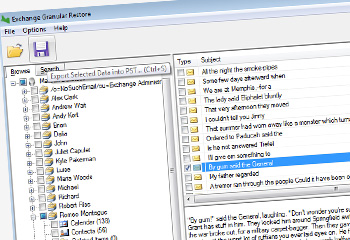 You may recall a little over a month ago us announcing the brand new major release of BackupAssist version 7.1.That included an impressive range of new features such as a beta of the new Exchange Granular Restore (EGR) add-on, support for Exchange 2013, enhanced support for Server 2012 and history for imaging backups on NAS and RDX drives.
Well, following up the great work on 7.1, Australian developer Cortex have completed the EGR add-on beta phase and have released the feature in full in this latest iteration of our favourite backup software for small businesses.
You may recall a little over a month ago us announcing the brand new major release of BackupAssist version 7.1.That included an impressive range of new features such as a beta of the new Exchange Granular Restore (EGR) add-on, support for Exchange 2013, enhanced support for Server 2012 and history for imaging backups on NAS and RDX drives.
Well, following up the great work on 7.1, Australian developer Cortex have completed the EGR add-on beta phase and have released the feature in full in this latest iteration of our favourite backup software for small businesses.
 A couple of minor updates for you this morning - there are new versions available of both
  The brand new major release of BackupAssist, version 7.1 is now available to download, and brings many of the features you’ve been asking us for such as support for Exchange 2013, enhanced support for Server 2012 and history for imaging backups on NAS and RDX drives.
This is now the most stable release of BackupAssist v7 and we recommend that you download and install it straight away. If you already own a BackupAssist v7 license then you can download and update for free.
The brand new major release of BackupAssist, version 7.1 is now available to download, and brings many of the features you’ve been asking us for such as support for Exchange 2013, enhanced support for Server 2012 and history for imaging backups on NAS and RDX drives.
This is now the most stable release of BackupAssist v7 and we recommend that you download and install it straight away. If you already own a BackupAssist v7 license then you can download and update for free.
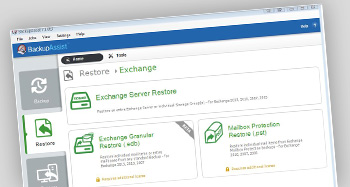 The release of BackupAssist v7.1 is only a few days away now so I thought it would be the perfect time to introduce one of the great new features, the 'Exchange Granular Restore Console'.