
09
Jan
BackupAssist: Recommended hard drives for image backup jobs
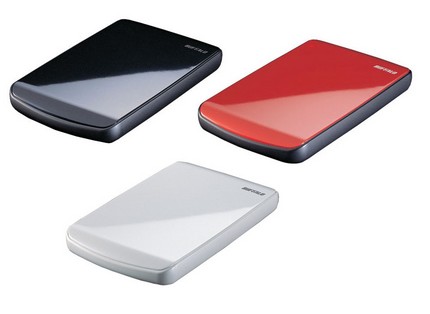 BackupAssist imaging jobs utilise the Microsoft Windows imaging engine to backup and write your data.
As some of you may already be aware, there is a known Microsoft issue when using the Windows imaging engine to back up to a destination drive that is utilising 4K bytes per cluster. This typically relates to the larger (>2TB) USB hard drives that are now becoming more common. Some hard drives can be reformatted using 512 bytes per cluster rather than 4K bytes per cluster but unfortunately not all have this option.
BackupAssist imaging jobs utilise the Microsoft Windows imaging engine to backup and write your data.
As some of you may already be aware, there is a known Microsoft issue when using the Windows imaging engine to back up to a destination drive that is utilising 4K bytes per cluster. This typically relates to the larger (>2TB) USB hard drives that are now becoming more common. Some hard drives can be reformatted using 512 bytes per cluster rather than 4K bytes per cluster but unfortunately not all have this option.
 Our Aussie friends over at
  One of the most noticeable changes in version 7 of BackupAssist is how it looks and feels, so I thought I'd use this first of two preview posts to take an early look at the new interface in a little more detail.
Earlier iterations of BackupAssist have often been praised for their simple interface layout and ease of use, so when I first heard that the developers were looking to improve on this for version 7, I'll admit to being a little apprehensive!
One of the most noticeable changes in version 7 of BackupAssist is how it looks and feels, so I thought I'd use this first of two preview posts to take an early look at the new interface in a little more detail.
Earlier iterations of BackupAssist have often been praised for their simple interface layout and ease of use, so when I first heard that the developers were looking to improve on this for version 7, I'll admit to being a little apprehensive!
 We've had a few customers asking about whether our backup software
  I could tell you all about the exciting new version 7 of BackupAssist which is just around the corner - unfortunately if I do that I'll have some angry Australian developers after my blood!
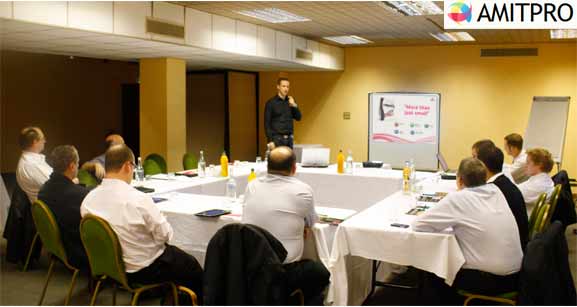 Neil and I were on the road again on Wednesday, this time to join the guys at AMITPRO in Birmingham to talk about MDaemon Messaging Server as a possible alternative to Exchange.