
06
Mar
ActiveSync- The recommended way to connect your mobiles devices to MDaemon
 For many years now its been common place for users to need access to their business email, calendars and contacts on their mobile devices. Over the years there have been different ways to achieve this, but by far the easiest to setup and the option with best support for access from any connection is ActiveSync.
16:08 /
MDaemon
 These days we all expect our email to work flawlessly when we're outside of the office, regardless of how we're connected. Occasionally though, a change of connection is all it takes to cause issues.
In this post I take a quick look at why, if you connect to your own mail server using an SMTP connection (not applicable to ActiveSync users) from your mobile device, laptop or even desktop machine, you might experience problems with sending email. Oh, and what you can do about it of course!
These days we all expect our email to work flawlessly when we're outside of the office, regardless of how we're connected. Occasionally though, a change of connection is all it takes to cause issues.
In this post I take a quick look at why, if you connect to your own mail server using an SMTP connection (not applicable to ActiveSync users) from your mobile device, laptop or even desktop machine, you might experience problems with sending email. Oh, and what you can do about it of course!
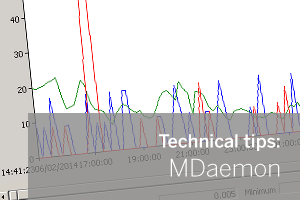 Out of the box MDaemon has some very detailed logging and real-time statistics built into the application.
In this post I'll show you how to learn more about what a server's doing using the free Performance Monitor feature in Windows.
Out of the box MDaemon has some very detailed logging and real-time statistics built into the application.
In this post I'll show you how to learn more about what a server's doing using the free Performance Monitor feature in Windows.
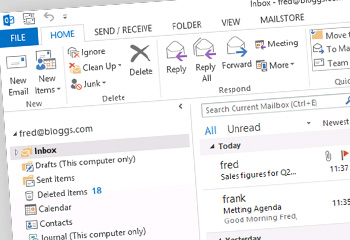 With the recent release of MDaemon 13.5 Alt-N have upgraded the built in ActiveSync server which now includes support for the latest ActiveSync protocol used by Outlook 2013. This update adds additional ActiveSync policy support but also it allows MDaemon to provide native ActiveSync support for Outlook 2013 as well as the built in Windows 8 Mail App.
 The latest major new release of MailStore is now live and available for download from our Web site.
Version 8.0 brings a selection of updates and fixes along with new support for Microsoft Exchange Server 2013 and Microsoft Outlook 2013 (including Click-to-Run for Office 365). For those of you running Outlook 2010 64-bit there is also a 64-bit version of the MailStore client available.
The latest major new release of MailStore is now live and available for download from our Web site.
Version 8.0 brings a selection of updates and fixes along with new support for Microsoft Exchange Server 2013 and Microsoft Outlook 2013 (including Click-to-Run for Office 365). For those of you running Outlook 2010 64-bit there is also a 64-bit version of the MailStore client available.
 We have seen two separate issues recently where MailStore had been configured to use directory services to synchronise its user list with an external source. One being an
 One of the things I like about MailStore is the simplicity with which local users can be managed, so I wanted to take a moment to provide you with an overview of the various options available to you in this area.
Before I start, I should point out, that for each member of staff having their email archived, an account must be created in MailStore and a user licence allocated.
One option is to create accounts manually within MailStore, entering the relevant information for each, which will typically include passwords, email addresses and access rights. This works perfectly well for smaller installations, but when dealing with more than a handful of user accounts it does start to make more sense to consider synchronising your MailStore user list with an external user directory service.
One of the things I like about MailStore is the simplicity with which local users can be managed, so I wanted to take a moment to provide you with an overview of the various options available to you in this area.
Before I start, I should point out, that for each member of staff having their email archived, an account must be created in MailStore and a user licence allocated.
One option is to create accounts manually within MailStore, entering the relevant information for each, which will typically include passwords, email addresses and access rights. This works perfectly well for smaller installations, but when dealing with more than a handful of user accounts it does start to make more sense to consider synchronising your MailStore user list with an external user directory service.