

28
Aug
SecurityGateway Email Firewall v7.0 now available
The latest version of SecurityGateway Email Firewall is now available, for detailed information about what's new in this new version, please go here. ...
The latest version of SecurityGateway Email Firewall is now available, for detailed information about what's new in this new version, please go here. ...

 More is better. The mantra of the signature stuffer.
From job titles and contact details to special offers and even instructions to save the trees. Nothing is off limits when it comes to providing 'useful' information to our lucky recipients by the medium of email footer.
It's a perfect picture unless of course, you're the poor soul tasked with making sure the emails your company sends are consistent, professional and accurate.
If you're that person, you're going to love this latest MDaemon release.
More is better. The mantra of the signature stuffer.
From job titles and contact details to special offers and even instructions to save the trees. Nothing is off limits when it comes to providing 'useful' information to our lucky recipients by the medium of email footer.
It's a perfect picture unless of course, you're the poor soul tasked with making sure the emails your company sends are consistent, professional and accurate.
If you're that person, you're going to love this latest MDaemon release.
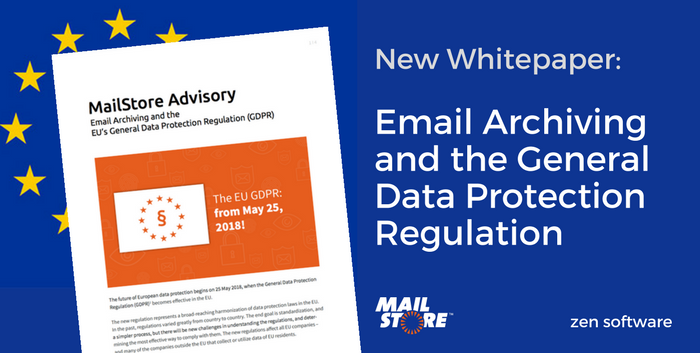 E-mail archiving is an indispensable tool in the armoury of any company looking for a secure but accessible way of storing email. It's also an excellent way to tick a number of the boxes of the General Data Protection Regulation (GDPR).
I touched on this topic in a recent YouTube video and today the German vendor MailStore have released a new whitepaper detailing exactly how to fully support your GDPR compliance customers, available here.
E-mail archiving is an indispensable tool in the armoury of any company looking for a secure but accessible way of storing email. It's also an excellent way to tick a number of the boxes of the General Data Protection Regulation (GDPR).
I touched on this topic in a recent YouTube video and today the German vendor MailStore have released a new whitepaper detailing exactly how to fully support your GDPR compliance customers, available here.
 In this blog post, I'll show you how to enable the delightful HTML report email, and let you know how to get the most from it.
 A popular feature of MDaemon is its ability to let administrators quickly pinpoint message activity and session information using detailed logs. Sometimes, however, what's required is more an overview of server usage such as how load is being shared across users or mailboxes for example.
In this post I take a look at how you can use Microsoft Excel to query data you may not even be aware is available in MDaemon!
A popular feature of MDaemon is its ability to let administrators quickly pinpoint message activity and session information using detailed logs. Sometimes, however, what's required is more an overview of server usage such as how load is being shared across users or mailboxes for example.
In this post I take a look at how you can use Microsoft Excel to query data you may not even be aware is available in MDaemon!
 Our standard recommendation for anyone who wants a true email archiving solution is MailStore Server, however, MDaemon does have some basic archiving capabilities worth being aware of too.
Version 16 of MDaemon introduces changes to the way these native capabilities work, so in this post, I'm going to take a moment to explain the changes and the options now available to you.
Our standard recommendation for anyone who wants a true email archiving solution is MailStore Server, however, MDaemon does have some basic archiving capabilities worth being aware of too.
Version 16 of MDaemon introduces changes to the way these native capabilities work, so in this post, I'm going to take a moment to explain the changes and the options now available to you.
 A long time ago in a galaxy far away....well....ok, just a long time ago, I learnt that in order to diagnose the email delivery problems of our customers, understanding the role of DNS would be absolutely fundamental.
Not only that, but I quickly realised the value of the 'NSlookup' DNS tool which is included within Windows.
A long time ago in a galaxy far away....well....ok, just a long time ago, I learnt that in order to diagnose the email delivery problems of our customers, understanding the role of DNS would be absolutely fundamental.
Not only that, but I quickly realised the value of the 'NSlookup' DNS tool which is included within Windows.
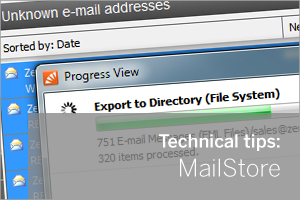 In most deployments of MailStore we recommend your journalling job is configured to archive a selection of journalled or 'copied' emails for all your users.
This type of job is designed to interrogate each message that it archives and look for headers that it can match to decide which user's archive it should store the message under.
In a perfect installation where all of your MailStore users have been setup correctly, every journalled message should find the correct corresponding users archive. But it is common to overlook some addresses and you may find email appearing in the general 'Unknown e-mail archive' instead.
In most deployments of MailStore we recommend your journalling job is configured to archive a selection of journalled or 'copied' emails for all your users.
This type of job is designed to interrogate each message that it archives and look for headers that it can match to decide which user's archive it should store the message under.
In a perfect installation where all of your MailStore users have been setup correctly, every journalled message should find the correct corresponding users archive. But it is common to overlook some addresses and you may find email appearing in the general 'Unknown e-mail archive' instead.